QR Code Asset Tracking: A Practical Guide for SMEs
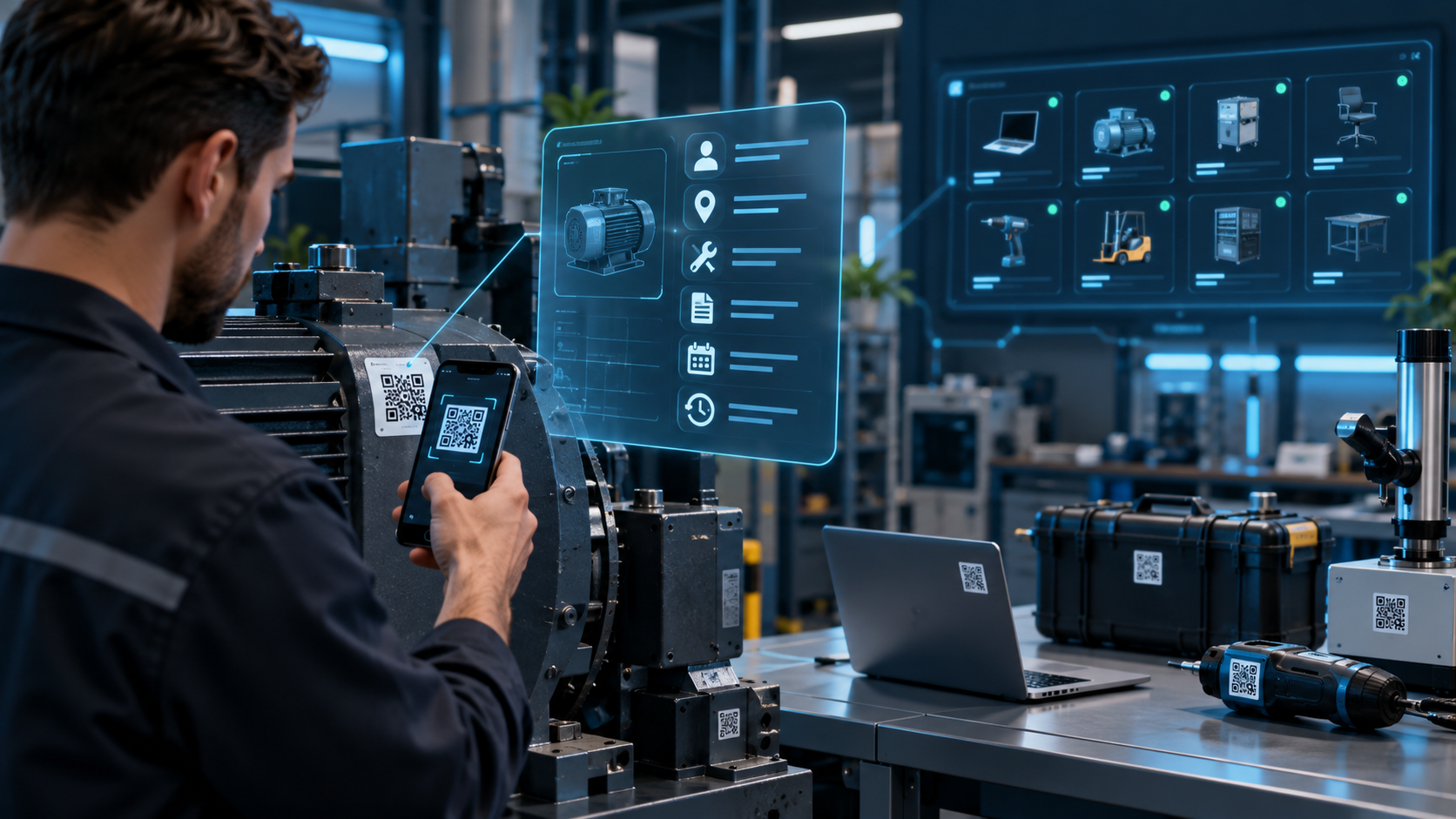
What Is QR Code Asset Tracking?
Think about the physical assets a growing business owns.
Laptops, monitors, test instruments, power tools, production equipment, tablets, printers and equipment carried in service vehicles.
Accounting may know that these items were purchased.
Operations needs different answers.
Where is this particular device now?
Who is responsible for it?
When was it last serviced?
Did it move to another branch?
Was it physically found during the latest audit?
An asset tracking system creates an individual digital record for physical business assets and maintains information about their ownership, location, status and history.
A QR code provides a convenient bridge between the physical object and that digital record.
Current asset-management products commonly use QR labels together with employee/location assignment, lifecycle history, maintenance information and inventory verification.
Asset Tracking Is Different from Quantity-Based Inventory
The distinction matters.
If your warehouse contains 500 identical screws, you usually care about:
Screw A → Quantity 500
You do not need a lifecycle record for each screw.
Thirty company laptops are different.
Knowing:
Laptop → Quantity 30
does not tell you enough.
Each laptop may have its own:
- Serial number
- Assigned employee
- Location
- Warranty
- Condition
- Service history
Inventory management therefore tends to focus on quantity, while asset tracking focuses on an individual identity.
SynapTech's inventory-tracking solution already supports warehouse/location movements and infrastructure suitable for barcode or QR integration.
The two models can coexist within a wider ERP architecture.
How Does QR Asset Tagging Work?
First, create an individual asset record.
For example:
Asset: Laptop
Asset ID: IT-00482
Location: Izmir Office
Owner: Sales Team
Status: In Use
The system generates a unique QR code.
Attach the label to the device.
A user scans it with a smartphone and the asset record opens immediately.
Current QR asset platforms demonstrate this model across machinery, vehicles, IT devices and tools, often without requiring dedicated scanning hardware.
That simplicity is valuable when assets move between offices, warehouses and field locations.
Do Not Put the Entire Asset Record Inside the QR Code
A QR code can technically contain substantial data, but embedding the full business record is usually unnecessary.
A more flexible design stores an asset identifier or secure URL.
The application retrieves current information from the backend.
Why does that matter?
Suppose a laptop moves from one employee to another.
The physical label does not need to change.
Only the assignment in the database changes.
Access can also be controlled.
An employee scanning a code may see basic equipment information, while an authorized asset manager can see purchase value, documents and full history.
The QR identifies the asset; permissions determine what the user may do with it.
Build Check-In and Check-Out as Transactions
Suppose IT issues a laptop to a new employee.
Instead of changing a single “owner” cell in a spreadsheet, create an assignment transaction.
It can record:
- Asset
- Employee
- Issued by
- Date
- Condition
- Accessories
- Photo
- Notes
- Digital acknowledgement
When the laptop is returned, close that assignment.
When it is issued again, create another.
Do not erase the previous owner.
The historical chain answers questions such as:
“Who had this device in March?”
Lifecycle history is one of the important differences between a true asset system and a current-state spreadsheet.
Track Location Transfers as History
Assets also move between physical locations.
A measuring device may travel:
Main Warehouse → Service Van → Customer Site
The user can scan the QR code, select Transfer, and choose a destination.
At receipt, another scan can confirm the transfer.
The current location changes while the previous movement remains in history.
This is particularly useful for tools, inspection equipment, reusable containers and other assets that move frequently.
Current QR tracking products similarly record asset status, ownership and location changes through mobile scans.
Turn the Smartphone into an Inventory Audit Tool
Traditional asset audits often start with a spreadsheet or printed list.
Someone walks through the facility and manually checks what they can find.
QR scanning can make the process event-driven.
A user starts an audit:
Izmir Office / Floor 3
and scans every asset encountered.
The system can classify records as:
- Verified
- Found in an unexpected location
- Not yet scanned
If 314 of 320 expected assets are scanned, the remaining six become a focused investigation rather than forcing employees to compare entire spreadsheets.
Current SMB asset-management products support scheduled or ad-hoc inventory checks and maintain evidence of those verifications.
Put Maintenance History on the Asset Record
Some assets need more than ownership tracking.
A machine, compressor or test instrument may require regular service.
Scanning its QR code could show:
- Model
- Serial number
- Commissioning date
- Previous maintenance
- Next inspection
- Fault history
- Manuals or certificates
After maintenance, the technician adds a new event to the same history.
Modern QR asset systems expose service records, documents and upcoming inspection information directly from the asset record.
For complex maintenance organizations, asset management can integrate with a dedicated field-service or maintenance module rather than attempting to make one screen handle every process.
QR Code or Traditional Barcode?
Both can work.
A traditional barcode may be preferable when a company already has warehouse scanners and established barcode processes.
QR codes are convenient when standard smartphone cameras will be used and when flexible tagging is important.
Evaluate:
- Existing scanning hardware
- Smartphone availability
- Label size
- Scanning distance
- Industrial conditions
- Existing ERP conventions
- Required scanning speed
Do not choose the technology purely because one format appears more modern.
The physical workflow should determine the identifier.
The Label Material Is Part of the System
A standard paper label may work perfectly on an office laptop.
It may fail quickly on industrial equipment.
Oil, heat, chemicals, sunlight and abrasion can damage labels.
Depending on the environment, consider:
- Laminated labels
- Polyester
- Chemical-resistant materials
- Metal asset tags
This is an easy detail to overlook during software development.
If the physical identifier disappears, the digital process becomes harder to use regardless of how good the application is.
Should GPS Be Used for Asset Location?
Not automatically.
A QR scan tells you that somebody interacted with an asset at a particular point in the workflow.
GPS can add another signal for mobile equipment, but it also introduces privacy, battery and reliability considerations.
For high-value vehicles or machinery, dedicated GPS or IoT telemetry may be justified.
For a laptop assigned to an office employee, it may be unnecessary.
Use the least complex tracking technology that reliably answers the operational question.
Integrate Asset Creation with Procurement
An asset system becomes more useful when employees do not need to enter the same information twice.
A possible flow is:
ERP → Purchase Order → Goods Receipt
When serialized equipment arrives:
Goods Receipt → Asset Record → QR Label
The system can reuse supplier, product, serial and purchase information already available upstream.
Later, disposal or transfer events can feed relevant operational or accounting processes.
SynapTech's custom-software services include web-based operational systems, role and permission management, dashboards and third-party integrations.
Its mobile-development offering also supports enterprise field applications, offline operation and backend/ERP integration.
Decide Which System Owns Which Data
Before integration, define a source of truth.
For example:
ERP: Purchase and financial data
Asset system: Current custodian, physical location, condition and lifecycle events
HR system: Employee identity and employment status
This prevents three applications from maintaining different versions of the same information.
If an employee leaves the company, the HR event might trigger a workflow listing all assets still assigned to that employee.
That is more useful than periodically comparing disconnected spreadsheets.
Start with a Focused First Release
An SME does not need every enterprise asset-management feature on day one.
A useful first release may include:
- Asset record
- Categories
- Serial numbers
- QR generation
- Location
- Employee assignment
- Transfer
- Status
- Photos and documents
- Movement history
- Mobile scanning
- Audit sessions
Maintenance planning, procurement integration, depreciation, IoT tracking and advanced analytics can follow.
The first release should reliably answer:
What do we own, where is it, who has it and what condition is it in?
Frequently Asked Questions
Do we need dedicated QR scanners?
Not always. A well-designed system can use standard smartphone cameras. High-volume warehouse operations may still benefit from professional scanning devices.
What happens when a QR label is damaged?
The asset record remains in the central system. A replacement label can be generated for the same asset.
Can inventory and fixed assets use the same software?
Yes, but quantity-based inventory and individually identified assets should use distinct data models and transaction rules.
Can QR scanning work without internet access?
Yes, if the mobile application is designed for offline operation. Transactions can be stored locally and synchronized when connectivity returns.
Can an asset system integrate with our ERP?
If the ERP exposes a suitable API or another supported integration method, purchasing, goods receipt, product and location data can be connected.
If your asset spreadsheet appears complete but employees still need to call around to find a particular device, the real problem is the missing connection between the physical asset and its digital history. SynapTech can build custom QR/barcode asset-tracking systems that combine a web management panel, mobile workflows and integrations with existing ERP processes.