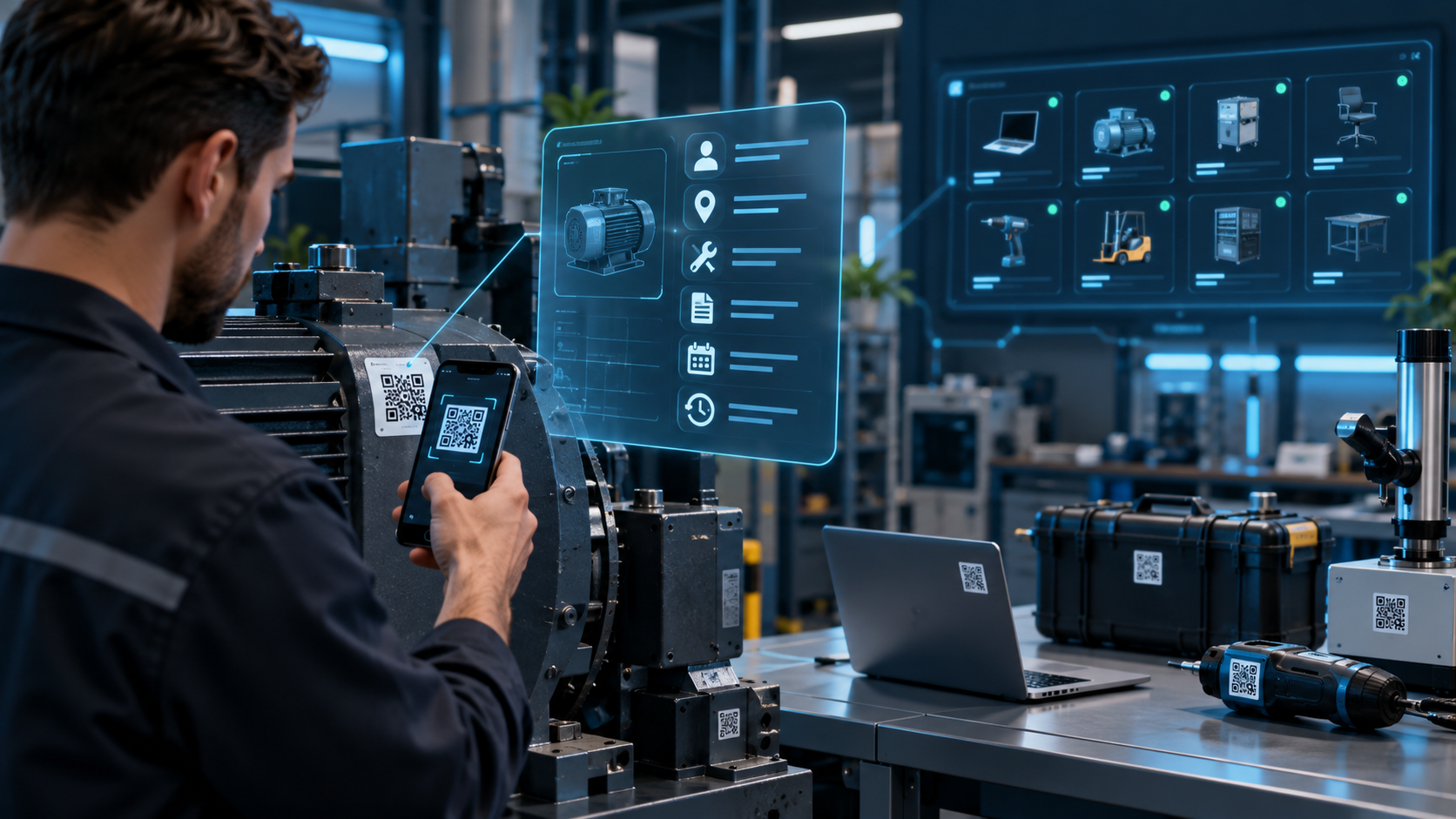
Field Service Management Software: A Practical Guide for SMEs

What Is Field Service Management Software?
Consider a typical morning at a technical service company.
A customer reports a fault. Someone in the office writes down the address and problem. An available technician is called. Job information is sent through a messaging app. The technician visits the customer, completes a paper service sheet and collects a signature.
Back at the office, somebody enters the same information into another system.
Parts need to be removed from inventory.
A service report must be sent.
The job may also need to become an invoice.
The problem is not the technician's ability to repair the equipment. It is the fragmentation of one service job across phone calls, messages, paper and separate applications.
Field service management software, commonly abbreviated as FSM, creates one digital workflow from customer request through job completion.
Current FSM products commonly combine work-order management, dispatching, technician scheduling, mobile applications, photos, signatures, parts usage and customer history.
Make the Work Order the Operational Record
The work order is usually the central object in a field service system.
It may contain:
- Customer details
- Service location
- Asset or equipment
- Problem description
- Priority
- Appointment window
- Assigned technician
- Parts used
- Labour time
- Photos
- Technician notes
- Customer signature
- Current status
The objective is not to collect as many fields as possible.
The technician needs the right information quickly while the office needs reliable evidence of what happened.
For example, an office dispatcher might create:
WO-1842 → HVAC fault → Customer site → Tuesday 10:00
The technician receives the job on a mobile device.
If previous service history is available as well, the technician can understand the asset before arriving.
How Should Technicians Be Scheduled?
Assigning every new job to the next available person is not always practical.
Scheduling may need to consider:
- Availability
- Skills or certification
- Location
- Priority
- Required equipment
- Existing workload
- Customer appointment windows
A technician may appear to have a free hour on the calendar while physically being too far from the next customer.
Combining scheduling and location context therefore helps dispatchers create more realistic days.
Current field service products increasingly provide drag-and-drop dispatch boards and allocate work based on skills, location, availability and travel time.
Automation can assist, but dispatchers should still be able to override assignments when real-world knowledge requires it.
Design the Mobile App for the Field
A technician application should not simply be the desktop ERP interface squeezed onto a phone.
Field users have a different job.
A useful home flow might be:
Today's Jobs → Next Job → Navigate → Start Work
Inside the work order, the technician may need:
- Customer
- Address
- Contact details
- Reported fault
- Asset history
- Checklist
- Available parts
- Safety instructions
At completion, the technician records work performed, time, materials and supporting photos.
The office receives the update without somebody transcribing a paper form.
SynapTech's mobile-development service specifically supports enterprise field and operations applications, backend/ERP/CRM integration, push notifications and offline scenarios.
Offline Capability Is an Operational Requirement
Mobile connectivity cannot be assumed in every service environment.
Technicians may work in basements, industrial facilities, rural locations or buildings with poor reception.
If the application becomes unusable without connectivity, employees may return to paper whenever the signal disappears.
An offline-capable workflow can store the required job data locally.
The technician may still:
- Change job status
- Complete checklists
- Add notes
- Capture photos
- Record labour
- Collect signatures
When connectivity returns, the application synchronizes with the server.
Offline operation is consequently a prominent capability across current technician applications.
However, offline functionality introduces engineering decisions around synchronization conflicts, duplicate submissions and local data security.
It should be designed deliberately rather than added at the end of the project.
Replace Paper Service Reports with Field-First Forms
Digitizing a service report does not mean recreating a large paper form pixel for pixel.
Forms can adapt to the service type.
An HVAC maintenance job might request:
- Filter condition
- Pressure reading
- Electrical inspection
- Drainage check
- General condition
A different asset can present a completely different checklist.
At completion, the customer can sign directly on the device.
A PDF or secure service-report link can then be generated.
Modern FSM products commonly allow technicians to capture photos, checklists and signatures while still on site.
The resulting record becomes more than a paper-saving feature.
It creates a searchable history of what happened to an asset over time.
Track Parts at the Point of Use
Inventory accuracy becomes difficult when technicians consume parts in the field and record them days later.
A mobile workflow can attach material consumption directly to the work order.
For example:
Work order: WO-1842
Part used: 1 contactor
Source: Service Van 03
Completing the job can create the relevant inventory movement automatically.
Service vehicles may even be modeled as mobile stock locations.
Parts transferred from the main warehouse to a van remain visible, while consumption occurs against the relevant job.
Current FSM systems similarly link inventory and parts directly to work orders to track consumption and cost.
Automate Preventive Maintenance Carefully
Not every field-service visit begins with a breakdown.
Companies servicing HVAC, lifts, generators, security systems or industrial equipment often have recurring maintenance contracts.
Creating the same jobs manually every month wastes administrative time and creates a risk that visits are forgotten.
A maintenance plan could define:
Compressor A → Maintenance every three months
The system can create the next work order automatically or place it into a planner's approval queue.
Recurring work orders and preventive-maintenance scheduling are standard capabilities in many current FSM platforms.
The important part is keeping the asset, frequency and required checklist attached to the maintenance plan.
Give Technicians Useful Customer and Asset History
Before arriving, a technician may benefit from knowing:
- When was this asset installed?
- Which faults occurred previously?
- Which parts were replaced?
- When was the last maintenance visit?
- What did the previous technician observe?
This prevents operational knowledge from living exclusively in an experienced employee's memory.
If that employee leaves, the company still owns the service history.
This is also where CRM and field service overlap.
CRM may contain the commercial relationship while the service application provides equipment and maintenance context.
Together they create a more complete customer record.
Integrate Field Service with ERP
A field service platform does not need to become another isolated system.
A connected architecture could use:
ERP → Customers / Products / Inventory
FSM → Work Orders / Service Execution
and then:
FSM → ERP → Parts Consumption / Billing
When a technician completes a job, used materials can be posted to the ERP.
If the service is chargeable, the completed work order can provide data for invoicing.
SynapTech's custom-software offering explicitly includes mobile-supported applications for field teams and third-party integrations, while its ERP/CRM services support connected operational workflows.
The exact ownership of customer, inventory and billing data should be defined before development.
Do You Need Live GPS Tracking?
Not necessarily.
Technician location can help with emergency dispatch, route planning and estimated arrival.
That does not mean every project needs continuous employee tracking.
Define the business purpose first.
Decide when location is collected, who can access it and how long it is retained.
For some businesses, navigation to the next job and a simple “on the way” status may provide sufficient operational value.
Features should follow the service process rather than being added simply because competitors list them.
What Should an Initial FSM Release Include?
A focused first version for an SME might contain:
- Customers and service locations
- Assets/equipment
- Work orders
- Calendar and technician assignment
- Technician mobile interface
- Job status
- Photos and notes
- Digital service form
- Parts used
- Customer signature
- Service history
Route optimization, preventive maintenance, customer self-service, payments and advanced analytics can follow later.
The first release should primarily remove the information gap between office and field.
Measure the Workflow, Not Just the Software
After launch, avoid evaluating success only by login counts.
Useful operational measures may include:
- Time from request to assignment
- Jobs completed per day
- Repeat visits for the same fault
- Work orders missing service evidence
- Time between field completion and invoicing
- Inventory adjustments related to technician stock
- Percentage of scheduled maintenance completed on time
These metrics should be interpreted in context.
A lower number of daily jobs is not automatically poor performance if the jobs are more complex.
The goal is to identify where the process loses time or information.
Frequently Asked Questions
Which businesses benefit from field service software?
Technical service, maintenance, HVAC, industrial machinery, electrical, security, facilities and other businesses that regularly send employees to customer locations are common use cases.
Do technicians need dedicated hardware?
Not always. Standard iOS or Android devices may be sufficient if company security policies allow them. Rugged hardware can make sense in demanding industrial environments.
Can technicians complete jobs without internet access?
Yes, if the application is designed for offline operation. Job information can be stored locally and synchronized after connectivity returns.
Can FSM integrate with our existing ERP?
If the ERP provides an appropriate API or another supported integration mechanism, customer, inventory, parts and billing workflows can often be connected.
Should we buy a standard FSM product or build custom software?
Standard products can be a fast option for common workflows. Custom development becomes more relevant when job logic, equipment structures, pricing, forms or ERP processes are specific to the business.
If your field team receives jobs through messaging apps, fills paper service sheets and leaves office staff to re-enter the same information later, begin by mapping one work order from customer request to completion. SynapTech can use that workflow to build a connected web and mobile field-service solution that integrates with existing ERP, CRM and inventory systems where appropriate.